Deployment
This page describes how I deploy DriftSpend for my own AWS account using the AWS Cloud Development Kit (CDK).
It is not a productised module or public SaaS – just a small, opinionated stack I run for myself.
Overview
DriftSpend deploys the following components:
- A private S3 bucket to store cost reports and dashboards
- Two AWS Lambda functions for data collection and reporting
- Scheduled EventBridge rules to trigger the Lambdas at set intervals
- An optional dashboard served via CloudFront for easy access
Deployment Workflow Overview
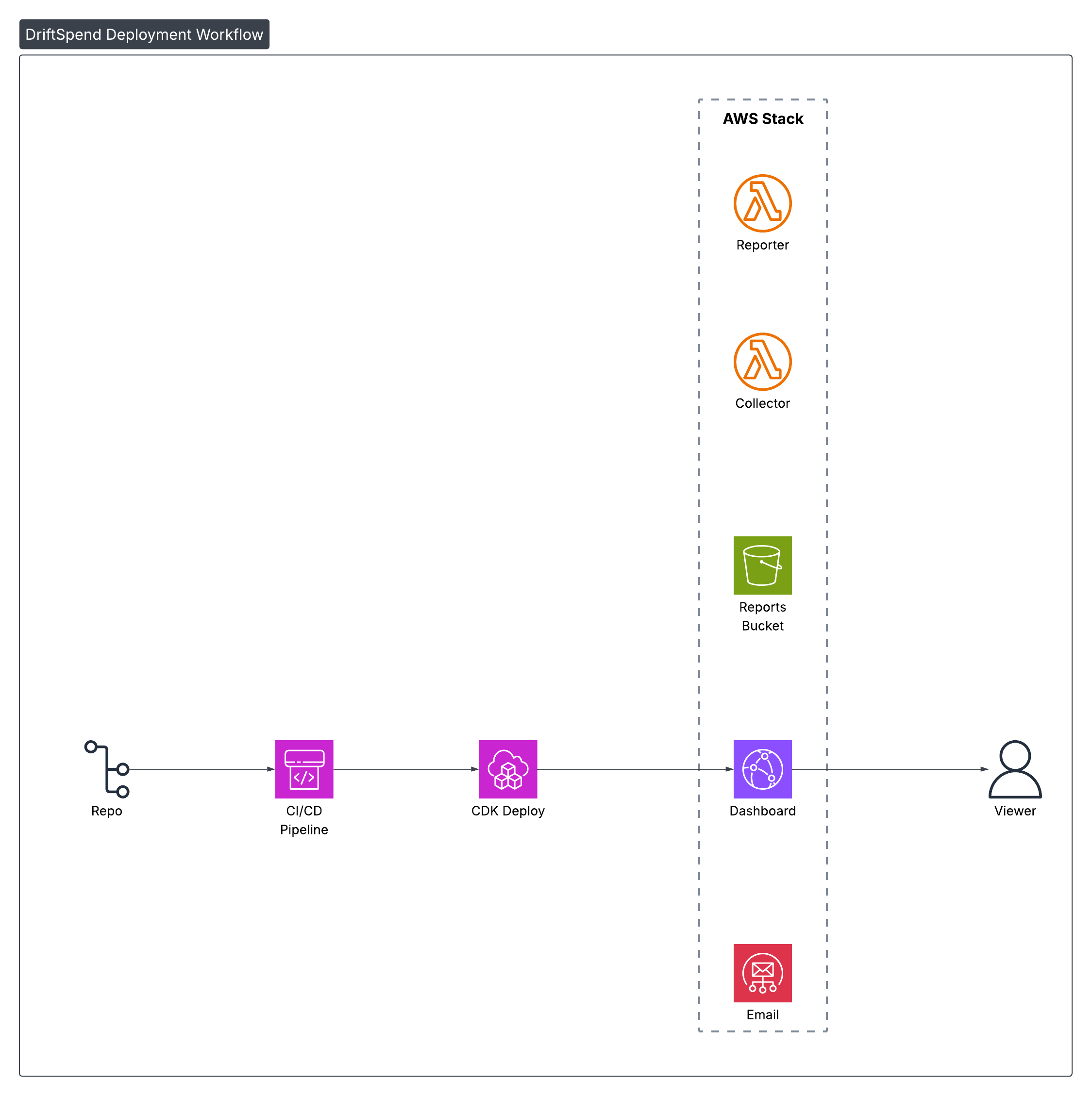
What the Diagram Shows
- The DriftSpend stack is deployed once using AWS CDK
- The deployment provisions storage, compute, and scheduled automation
- Daily and weekly jobs run automatically to collect cost data and generate reports
- Reports are stored privately in S3 and can be optionally surfaced through CloudFront
Automation (Optional)
DriftSpend is deployed with the AWS CDK. Right now I deploy changes from a local environment, but the stack is designed to plug into a CI/CD pipeline (for example GitHub Actions) where:
- pushes to
mainrun tests and synth the CDK stack - a deployment job runs
cdk deployusing AWS credentials stored as encrypted GitHub Secrets.
This keeps the deployment flow simple for a personal project, while leaving a clear path to full CI/CD automation later.